

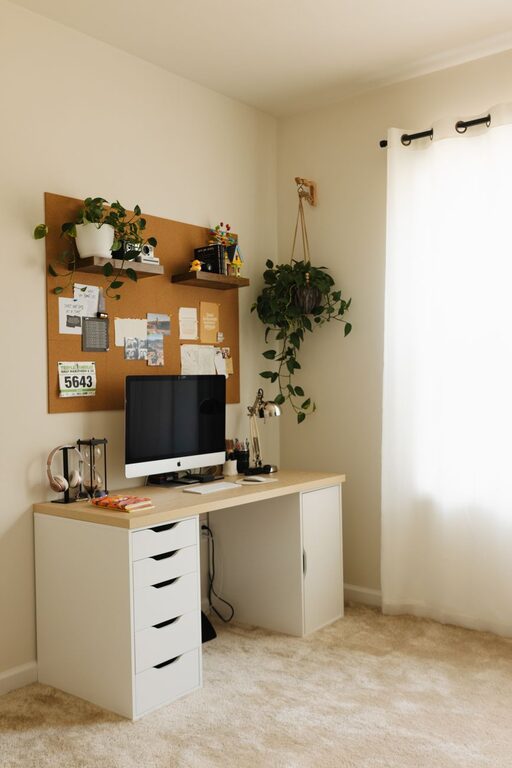
Creating a cozy and functional home office is essential for anyone working or studying from home. A well-designed space not only boosts productivity but also promotes comfort and focus throughout the day. Whether you have a dedicated room or a small corner in your home, these tips will help you create an inviting and efficient office setup.
Choose the Right Location
The first step in creating your home office is deciding where it will be located. Ideally, select a quiet area with minimal distractions. This could be a spare bedroom, a section of your living room, or even a nook under the stairs. Consider the following:
– Natural Light: Position your desk near a window if possible. Natural light enhances mood and alertness.
– Noise Levels: Choose a spot away from high-traffic areas like the kitchen or entrance.
– Space Needs: Make sure there’s enough room for your desk, chair, and any equipment you require.
Invest in Comfortable Furniture
Comfort is key to staying focused for long periods. Ergonomic furniture can prevent back and neck pain and improve posture.
– Ergonomic Chair: Look for chairs with adjustable height, lumbar support, and comfortable cushioning.
– Desk: Choose a desk with enough surface area to hold your computer, notebooks, and accessories. Adjustable desks can be a great option for switching between sitting and standing.
– Footrest: Consider a footrest if your feet don’t comfortably touch the floor when seated.
Optimize Lighting
Good lighting reduces eye strain and keeps you energized.
– Layered Lighting: Combine ambient lighting (ceiling lights) with task lighting (desk lamps).
– Adjustable Desk Lamp: Use a lamp with adjustable brightness and direction to focus light where you need it.
– Avoid Glare: Position your computer screen to avoid glare from windows or overhead lights.
Organize with Storage Solutions
A clutter-free desk helps maintain a clear mind and efficient workflow.
– Drawer Organizers: Use organizers to keep pens, paper, and other supplies neat.
– Shelves and Cabinets: Install shelves or cabinets to store books, files, and equipment out of sight.
– Cable Management: Use clips or cable sleeves to keep cords tidy and prevent tangling.
Personalize Your Space
Adding personal touches can make your office more inviting and inspire creativity.
– Plants: Houseplants add color and improve air quality.
– Art and Photos: Hang inspiring art or family photos on the walls.
– Rugs and Cushions: Soft textures like rugs or cushions can make the space cozier.
Maintain Good Air Quality and Temperature
A comfortable environment contributes to better focus.
– Ventilation: Open windows regularly or use an air purifier to keep fresh air circulating.
– Temperature Control: Use fans, heaters, or air conditioners to keep the room comfortable year-round.
Use Technology Wisely
Equip your home office with the right technology to enhance productivity.
– Reliable Internet: Ensure you have a strong Wi-Fi connection to avoid interruptions during video calls or work sessions.
– Noise-Canceling Headphones: These help block out background noise during meetings or focused work.
– Monitor Stands: Elevate monitors to eye level for better posture and reduced neck strain.
Create a Routine and Boundaries
Setting clear work hours helps balance work and personal life.
– Dedicated Work Time: Stick to regular hours to maintain discipline.
– Breaks: Take short breaks to stretch or relax away from your desk.
– Separate Space: When possible, avoid using your office area for non-work activities.
Final Thoughts
Designing a cozy and functional home office is about combining comfort with efficiency. By thoughtfully selecting your location, furniture, lighting, and storage, you can create a space that not only looks inviting but supports your daily work needs. Remember, personalization and managing your environment also play big roles in maintaining motivation and well-being while working from home. Start small and adjust your space as needed to find the perfect balance that works for you.